Automatic Error Recovery
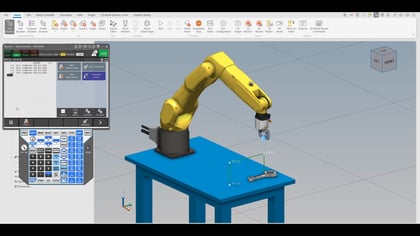
Discover how FANUC’s Automatic Error Recovery keeps robots running by minimizing downtime with smart recovery methods and easy setup.
Adam's guide covers the essential FANUC programming technique of Simulating I/O, perfect for debugging robot code when physical components are absent during startup. He demonstrates forcing inputs and outputs in a program with imaginary vacuum control, clarifying that inputs must be set to "simulate" to be forced, while simulated outputs won't activate physical devices. Recognizing the production risks, Adam shares vital safety protocols: enabling a Production Check alarm to block automatic operation with simulation active, and mapping a safety output for team alerts. As a final tip, he shows how to use the 'Remark' feature to easily comment out I/O lines for clean dry runs.

Discover how FANUC’s Automatic Error Recovery keeps robots running by minimizing downtime with smart recovery methods and easy setup.
Explore AP_LD and RT_LD techniques that guarantee linear motion, improve pick-and-place accuracy, and optimize robotic performance.
Learn the essentials of spot instruction for servo guns, including setup, pressure tables, thickness measurement, and gun sag compensation.
Learn how to perform accurate servo gun pressure calibration with FANUC tools. Improve weld quality and optimize robot performance.
Boost automation with Python on FANUC R-50iA controllers. Learn script execution, data handling, and integration tips for robotics workflows.
Learn how to set up and execute iRCalibration Vision Frame Set in ROBOGUIDE to improve precision and reduce errors in robotic workflows.