NEW
1:53

In this session, we will walk through a practical overview of FANUC’s I/O simulation tools and how they support more efficient robot programming and testing. Guided by an Associate Engineer from FANUC America, we will explore how simulation allows us to validate robot behavior without relying on physical inputs and outputs, helping reduce downtime and keep development moving forward.
We will begin by covering the importance of I/O simulation in real-world workflows. There are many situations where we want to test motion paths or run programs without activating tooling or waiting on sensors. We will go over how simulation makes it possible to isolate portions of a program or continue testing even when certain hardware is not yet available.
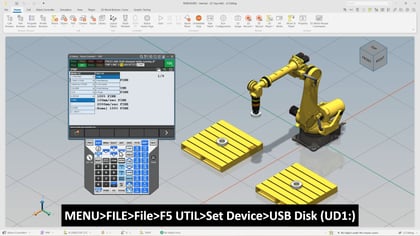
Next, we will step through a simple pick-and-place example to illustrate how inputs and outputs affect program flow. We will review how programs respond to signals such as part presence sensors, and how simulated inputs can be used to recreate those conditions so that execution continues without interruption.
We will also look at how to navigate the FANUC interface to configure digital inputs and outputs for simulation. This includes toggling simulation states and observing how the robot reacts as signals are adjusted in real time. Along the way, we will clarify the difference between input and output simulation and how each is used during testing.
Finally, we will touch on important safety considerations. While simulation is a powerful tool, it introduces risk if left active during production. We will go over simple strategies such as adding warning indicators and program checks, as well as an alternative approach using remarks to temporarily disable I/O-dependent code.
Requirements:
What You Will Learn:
This overview will help us test more efficiently, reduce setup time, and build more reliable robot programs.