

NEW
1:53
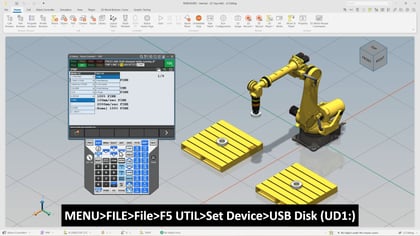
In this video, we walk through a practical and efficient approach to editing FANUC Teach Pendant programs using a standard text editor and then loading those updates back into the robot controller. Led by Brian Totonchi, Associate Engineer in the Robot Segment at FANUC America, this session focuses on simplifying program adjustments outside of the Teach Pendant while maintaining full compatibility with the robot system.
We will go over the full workflow using a simple pick and place example, making it easy to follow along whether you are new to program editing or looking to streamline your current process. The video highlights how to move between TP and LS file formats, how to safely export a program, and how to make meaningful edits that improve flexibility and efficiency. Along the way, we also touch on common challenges and how to resolve them so you can work with confidence.
By leveraging the ASCII Program Loader option and a USB drive, we demonstrate how to transfer files between the robot and a computer environment for easier editing. You will see how LS files provide a readable format that allows for faster updates to motion logic, comments, and positional data. We will also walk through how the controller processes these changes when the updated file is reloaded.
This video is designed to give you a clear and approachable overview without overwhelming detail, while still preparing you to apply what you learn in a real-world setting.
Requirements:
What you will learn:
If you are looking to improve efficiency and gain more control over your robot programming workflow, this video provides a strong starting point.


