NEW
5:22

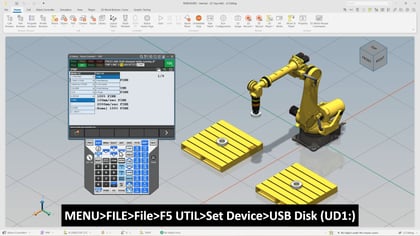
In this session, we walk through a practical approach to recovering a robot program using a user frame in a FANUC environment. Building on earlier concepts, we revisit how user frames are created relative to a fixture and how programs rely on that relationship for accurate motion. From there, we shift into a hands-on scenario where that setup changes, helping you understand how to quickly get production back on track.
We begin by reviewing how a user frame was originally taught to a fixture and how a program was built around that reference. Then we move into a simulation where the fixture is removed and repositioned. As we will see, even a small change in fixture location can cause the robot to miss its intended targets if the original frame data is no longer aligned.
Next, we will go over the process of reteaching the user frame. This includes jogging the robot back to the same reference points used during the initial setup and recording those positions again so the frame can be recalculated. Once updated, we run the program to confirm that everything is aligned and functioning as expected. By the end, we demonstrate how the program can be fully recovered without the need to reteach every point.
What you will need:
What we will cover:
What you will learn:
This overview gives you a clear path to handling real-world changes in your robotic cell. As you follow along, you will gain confidence in diagnosing and correcting alignment issues efficiently, ensuring your programs stay accurate even when your physical setup evolves.