Python Programming on the R-50iA Controller
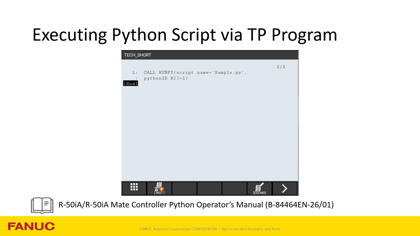
Boost automation with Python on FANUC R-50iA controllers. Learn script execution, data handling, and integration tips for robotics workflows.
The FREE official resource for learning FANUC, created by FANUC Engineers!
Boost automation with Python on FANUC R-50iA controllers. Learn script execution, data handling, and integration tips for robotics workflows.
Part 2 of our gear assembly series focuses on shaft insert. Learn how to set up force control for accurate gear alignment and smooth insertion.
Part 3 of our gear assembly series covers the final step: phase search. Learn how to optimize force control for precise gear alignment.
Part 1 of how to set up and troubleshoot icon based shaft insert on the CRX Collaborative Robot.
Auto Status Check is a feature on every FANUC collaborative robot that helps ensure safe, consistent performance of the power and force limiting functions. This tech short explains how Auto Status Check works and how to manage or modify it if required by your application.
This video describes how to set up and perform a face match using the face match icon on the CRX and the CRX integrated sensor.
This video describes how to set up a shaft insert using the force insert icon on the CRX collaborative robot.
A quick walkthrough of the different faceplate interface options on M-10 and M-20 robots. The video details the differences between these hollow-wrist and solid-wrist robots, along with how various options change the robot interfaces.
This Tech Short demonstrates the removal and installation of a DR-3iB/6 Stainless robot’s Link B Arm.
Guide to Robot Library Settings for the M-10iD and M-20iD.
Quick walkthrough on how to use the FANUC Payload Checker to evaluate your robots payload.
Detailed walkthrough of the FANUC Payload Checker along with payload-related tips and tricks.
Showing 1-11 of 11 results